
TRON Wallet — safe, simple and efficient
A Telegram bot wallet for TRON with layered security checks, receiving, transfers, energy purchase and TRX swap support.
Open Telegram Wallet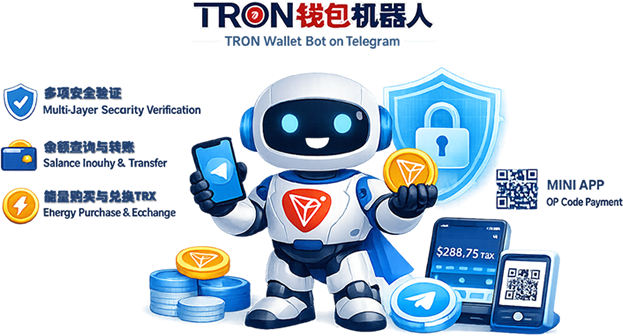
Core Features
Live Balances
Check TRX, USDT and token balances with live on-chain data.
Smart Receive
Create receiving QR codes and share payment links quickly across multiple assets.
Safe Transfer
Layered verification helps prevent mistakes and unauthorized transfers.
Buy Energy
Purchase TRON energy directly inside the wallet to reduce transfer costs.
TRX Swap
Swap USDT to TRX with live rates and a simple in-wallet flow.
MINI APP
Use mini-app style wallet actions and QR-based payment inside Telegram.
Layered Security
Verification strength can scale with transfer amount to improve wallet security.
Email Verification
Low RiskUsed for small transfers with a one-time code sent to the registered email address.
- One-click code delivery
- Short validity window
- Custom email support
Password Verification
Medium RiskUsed for medium-value transfers with an additional wallet password check.
- Dedicated transfer password
- Password change and reset
- Temporary lock after repeated failures
Authenticator Code
High RiskUsed for large transfers with time-based one-time codes from an authenticator app.
- Time-based security codes
- Bind Google Authenticator
- Works offline
Biometrics
Critical RiskUsed for very large transfers with biometric verification such as face or fingerprint checks.
- Face ID and fingerprint options
- Liveness checks
- Anti-spoof detection
Quick Start
-
Add the bot
Search for TRXDO Bot in Telegram and tap START to begin. -
Set a transfer password
Open wallet settings and define a dedicated transfer password for daily protection. -
Bind email and authenticator
Link your email account and authenticator app to increase account security. -
Start using wallet tools
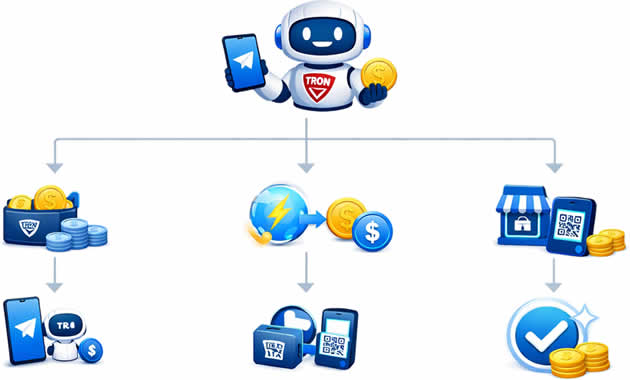
Check balances, receive funds, transfer assets and buy energy from one wallet entry point. -
Pay by QR
Scan a code in the mini app and complete payment without leaving Telegram.
Smart Transaction Tools
Live History
Review complete transaction history with filters for date, amount and state, then export reports when needed.
Transfer Limits
Set daily or monthly transfer caps to reduce risk from large unexpected transfers.
Batch Transfers
Send funds to multiple addresses in one flow with fee estimation built in.
Address Book
Save common receiving addresses with notes so repeat transfers are faster and safer.
Fee Estimate
See network conditions and fee estimates before confirming a transfer.
On-Chain Tracking
Open TronScan directly to verify hashes, confirmations and final transfer status.
Tiered Verification
Apply different verification methods based on transfer amount and risk level.
Vanity Address Request
You can request a premium TRON address from support, such as a repeating lucky-number suffix.
Service Highlights
Always Available
The Telegram wallet stays available around the clock so you can manage assets at any time.
Fast Response
Wallet actions respond quickly and transactions can be broadcast without extra friction.
Asset Protection
On-chain verification and layered security controls help keep wallet assets under your control.
Scalable Setup
Support multiple wallets and operational flows for both personal and business use.
FAQ
Start managing your TRON assets today
A practical TRON wallet solution for secure, fast and simple daily operations.